PasteScreenshot: A Local-First Screenshot Organizer for Privacy-Conscious Users
Product Curation & Core Value
The screenshot management problem is one of those persistent digital annoyances that everyone experiences but few bother to solve systematically. Your desktop is littered with files named "Screenshot 2025-03-15 at 2.34.45 PM.png." The Downloads folder becomes an archaeological dig of visual artifacts. Cloud-based tools like Dropbox or Google Photos offer organization, but they require accounts, uploads, and a fundamental trust that your visual data won't be mined, analyzed, or accidentally exposed.
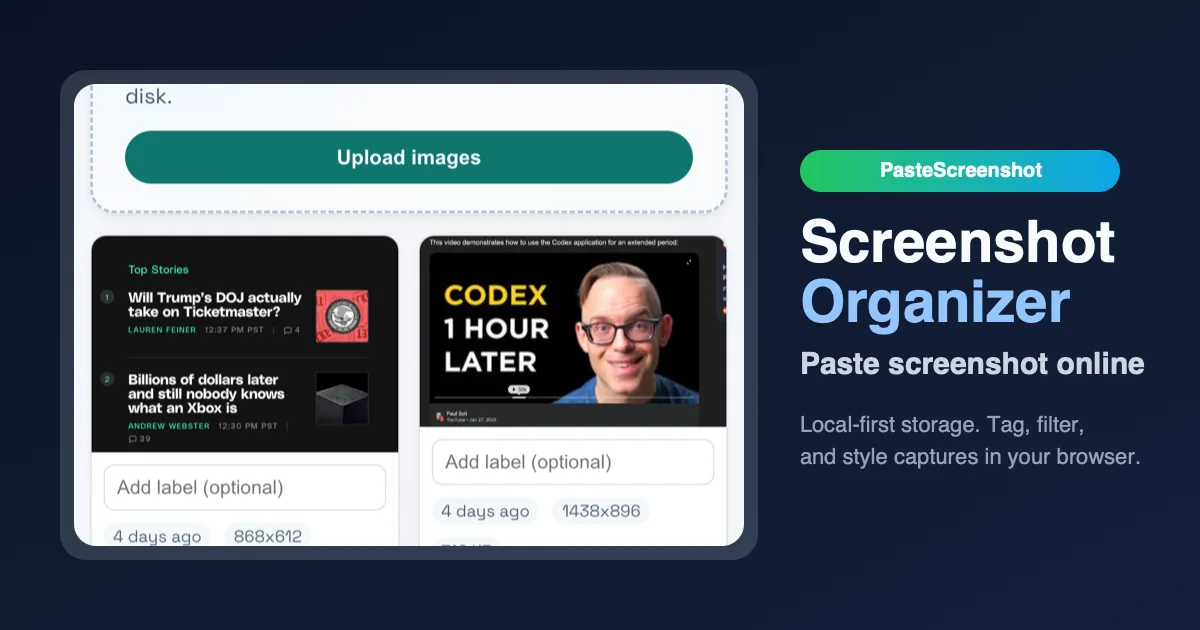
PasteScreenshot steps into this gap with a refreshingly simple proposition: a browser-based screenshot organizer that stores everything locally. The core workflow is as frictionless as it gets. You take a screenshot using your operating system's native tools, then paste it directly into the PasteScreenshot interface using Cmd/Ctrl + V. Alternatively, you can drag and drop image files or upload them from disk. Once captured, the interface presents a clean, gallery-style view where you can select individual screenshots, download them, or delete them. The tagline "Paste screenshot online, store locally, and organize" distills the entire value chain into a single, memorable sentence.
The product is notably minimal. There are no editing tools beyond basic selection and deletion. No tags, no folders, no search. This is both a strength and a limitation. For users who need a quick, private dumping ground for visual references during a work session, the lack of complexity is liberating. You paste, you see, you act. For users who need to categorize hundreds of screenshots across multiple projects, the bare-bones approach will feel restrictive.
What makes PasteScreenshot genuinely interesting is its architectural choice: IndexedDB storage. All data lives in your browser's local database. No server uploads, no accounts, no privacy concerns. This is a radical departure from the cloud-everything mentality that dominates modern software. It positions PasteScreenshot as a tool for the privacy-conscious user, the developer working on sensitive UI mockups, or the researcher collecting visual data that should never leave their machine. The product explicitly markets itself as "no account, no uploads to a server, no privacy worries," and in an era of data breaches and surveillance capitalism, that promise carries real weight.
Technical Implementation & Strategy
The technical architecture of PasteScreenshot is deceptively simple but strategically sound. By running entirely in the browser and using IndexedDB for storage, the product eliminates the most expensive and complex components of a typical SaaS application: server infrastructure, database management, user authentication, and data security compliance.
IndexedDB is a low-level API for client-side storage of significant amounts of structured data, including files and blobs. It's supported by all modern browsers and provides transactional, asynchronous access to data. For a screenshot organizer, it's an ideal storage layer. Screenshots are typically small-to-medium sized image files, and IndexedDB can handle hundreds or even thousands of them before performance degrades. The data persists across browser sessions, meaning users can close the tab, come back days later, and find their screenshots intact. The trade-off is that data is tied to a specific browser profile on a specific machine. Clear your browser data, switch computers, or use incognito mode, and your screenshots vanish.
This technical decision has profound implications for the product's distribution and business model. PasteScreenshot doesn't need to charge for server storage, manage user accounts, or worry about GDPR compliance. It can be offered as a completely free tool. The cost of running the service is essentially zero beyond domain registration and hosting the static HTML/JavaScript assets. This is a classic "local-first" architecture, a growing movement in software development that prioritizes user ownership of data over centralized cloud control.
The distribution strategy is equally lean. PasteScreenshot is listed on Uneed Best, a platform for design tools, where it has garnered 86 upvotes. This is a modest but meaningful signal of early community interest. The product doesn't appear to have a blog, social media presence, or paid marketing campaign. Its growth relies entirely on organic discovery through directories, word-of-mouth, and the inherent viral potential of solving a universal pain point.
The technical simplicity also creates a clear upgrade path. The current version is a single-page application with no backend. A future version could add optional cloud sync, collaborative features, or AI-powered image analysis. The IndexedDB layer could be extended to support offline-first sync with a remote database, allowing users to access their screenshots across devices while maintaining local ownership. This modular architecture is a smart foundation for a product that could grow in complexity over time.
Competitor Landscape & Industry Impact
PasteScreenshot enters a crowded but fragmented market. The screenshot management space includes everything from operating system defaults to sophisticated cloud-based tools. Understanding the competitive landscape requires examining several categories of alternatives.
The first category is the operating system's native screenshot tools. Windows has the Snipping Tool and the Snip & Sketch app. macOS has Grab and the built-in screenshot shortcut (Cmd+Shift+4). These tools are free, pre-installed, and deeply integrated into the OS. Their weakness is organization. They save files to the desktop or a default folder, creating the exact clutter problem PasteScreenshot aims to solve. They also lack a unified viewing interface.
The second category is cloud-based screenshot and annotation tools like Snagit, Lightshot, and Greenshot. These tools offer more features: annotations, editing, sharing, and cloud storage. Snagit, in particular, is a heavyweight with video recording, GIF creation, and a robust library system. The trade-off is complexity and cost. Snagit costs $62.99 for a single license. Lightshot offers free cloud storage but with a 5MB file size limit. These tools are designed for power users who need advanced editing and sharing capabilities.
The third category is note-taking and project management tools that incorporate screenshot functionality. Notion, Evernote, and Trello all allow pasting images into notes or cards. They offer organization through notebooks, tags, and boards. The trade-off is that they are general-purpose tools with significant overhead. You don't open Notion just to paste a screenshot; you open it to work on a project, and the screenshot is a byproduct of that workflow.
PasteScreenshot's competitive advantage lies in its laser focus on a single, well-defined task: paste, view, organize. It doesn't try to be a note-taking app, a design tool, or a cloud storage service. It's a dedicated workspace for screenshots. The local-first architecture is a genuine differentiator. No other major screenshot tool offers complete privacy by default. Snagit stores your library locally, but it requires installation and a paid license. Lightshot stores thumbnails on its servers. PasteScreenshot offers a middle ground: browser-based, free, and completely private.
The trade-offs are equally clear. PasteScreenshot lacks editing tools. You can't crop, annotate, highlight, or blur parts of an image. You can't share screenshots directly from the tool. You can't organize them into folders or tag them with keywords. For users who need these features, PasteScreenshot is a non-starter. For users who just need a clean, private place to dump screenshots during a work session, it's perfect.
The industry impact is modest but meaningful. PasteScreenshot represents a growing trend toward local-first, privacy-respecting software. It's part of a movement that includes tools like Obsidian (local-first note-taking), Logseq (local-first knowledge management), and Anytype (local-first collaboration). These products challenge the assumption that software must be cloud-based to be useful. They prove that simplicity, privacy, and a focused feature set can be a viable product strategy.
Brand Naming & Domain Identity Analysis
The name "PasteScreenshot" is a masterclass in functional naming. It tells you exactly what the product does in two words. The verb "Paste" describes the primary action. The noun "Screenshot" describes the object of that action. Together, they form a compound name that is immediately understandable, memorable, and self-explanatory.
From the perspective of AI Domain Naming, the name is algorithm-friendly. It's composed of common English words that any natural language processing system can parse and understand. The semantic structure is clear: action + object. This makes it easy for AI search engines, recommendation systems, and voice assistants to categorize and surface the product. When a user asks "What tool can I use to paste screenshots?" the name itself is the answer.
From the perspective of TLD Intelligence, the choice of pastescreenshot.com is conservative but wise. The .com TLD remains the gold standard for global brands. It's the default assumption for most internet users. If someone hears about PasteScreenshot and types "pastescreenshot" into their browser, they will almost certainly try .com first. The domain is an exact match for the brand name, which is ideal for SEO and direct traffic. There's no hyphenation, no misspelling, no creative TLD that might confuse users.
The domain also passes the "radio test." You can tell someone "Go to paste screenshot dot com" and they will understand immediately. The compound name is short enough to be spoken fluidly. The .com TLD reinforces the product's legitimacy and permanence.
From the perspective of the Startup Naming Playbook, PasteScreenshot follows the "descriptive compound" pattern. This pattern is common in B2B and developer tools where clarity trumps creativity. Examples include Dropbox, WordPress, and Screencast. The advantage is instant comprehension. The disadvantage is that the name is generic and hard to trademark. There are dozens of products that could legitimately call themselves "PasteScreenshot." The brand's distinctiveness comes from execution, not from the name itself.
The tagline "Paste screenshot online, store locally, and organize" is a masterful piece of positioning. It resolves the apparent contradiction between "online" and "local." The product runs in a browser (online) but stores data on your machine (local). This is a nuanced concept that the tagline makes clear in six words. It also establishes the three core value propositions: paste, store, organize.
The brand identity is minimalist and functional. The logo appears to be a simple icon, likely a stylized clipboard or paste action. The color scheme is clean and unobtrusive. The website is a single-page application with a straightforward layout. There's no marketing fluff, no testimonials, no pricing page. The brand communicates confidence through simplicity. It says, "We solve one problem well. If that's your problem, use us."
Growth & Future Outlook
PasteScreenshot is currently a side-project level tool with 86 upvotes on Uneed Best. It has no apparent funding, no team page, and no public roadmap. This is not a criticism; it's a description of the product's current stage. The question is whether it can grow from a useful utility into a sustainable product.
The most likely growth trajectory is organic and community-driven. The product solves a universal pain point for developers and designers. If it gains traction on platforms like Product Hunt, Hacker News, or Reddit's r/webdev, it could experience a viral spike in usage. The local-first architecture means there's no server cost to scale, so rapid growth is technically feasible. The challenge is retention. Users who paste a few screenshots and never return are not a sustainable user base. The product needs to become a habitual part of users' workflows.
Several concrete features could drive retention and growth. The most obvious is folder or tag-based organization. The current flat view works for a few dozen screenshots but becomes unwieldy at scale. Adding basic categorization would make the product useful for project-based work. Another high-impact feature is keyboard shortcuts for navigation and batch operations. Power users want to move quickly, and keyboard shortcuts are the fastest way to interact with a tool. A "paste and tag" workflow, where pasting a screenshot automatically prompts for a tag or folder, would streamline the capture process.
The biggest growth opportunity is integration with existing workflows. A browser extension that automatically opens PasteScreenshot when you take a screenshot would reduce friction. A desktop app using Electron or Tauri would provide system-level integration, including global hotkeys and background operation. An API or CLI tool would allow developers to pipe screenshots from automated testing frameworks directly into PasteScreenshot.
The business model is unclear. The product is currently free with no monetization. Potential revenue streams include a pro tier with cloud sync, advanced organization features, or team collaboration. A donation model or "buy me a coffee" button could support development without compromising the product's simplicity. Enterprise licensing for companies that need to manage screenshots across teams is another possibility.
The most significant risk is competition from larger players. Microsoft, Apple, or Google could easily integrate a similar local-first screenshot organizer into their operating systems. A startup called Shottr already offers a paid macOS screenshot tool with local storage and advanced features. The window of opportunity for PasteScreenshot to establish a user base before a major competitor enters the space is finite.
The final expert take: PasteScreenshot is a well-executed, focused utility that solves a real problem with admirable simplicity. Its local-first architecture is a genuine differentiator in a market dominated by cloud-based tools. The brand naming is functional and effective. The domain is solid. The product's future depends on its ability to add just enough features to become habit-forming without losing its minimalist soul. If the developer can resist feature creep and focus on the core workflow, PasteScreenshot has the potential to become the default tool for privacy-conscious developers and designers who just want to paste a screenshot and move on.
Related
How Vicket Is Redefining Customer Support: A White-Label, Multi-Tenant Platform for SaaS and Agencies
Vicket offers a white-label, multi-tenant customer support platform that integrates in minutes, with no per-agent fees. Ideal for SaaS founders and agencies, it provides branded portals, ticket management, and automated workflows from a single dashboard.

ClearNights: The Ultimate Stargazing Forecast Tool That Combines 5 Factors Into One Score
ClearNights provides hour-by-hour stargazing forecasts for over 50,000 cities, combining seeing, clouds, moon, and twilight into a single 0–100 score. It also notifies users of celestial events like meteor showers and eclipses.
Clio: AI-Powered Legal Practice Management as a System of Action
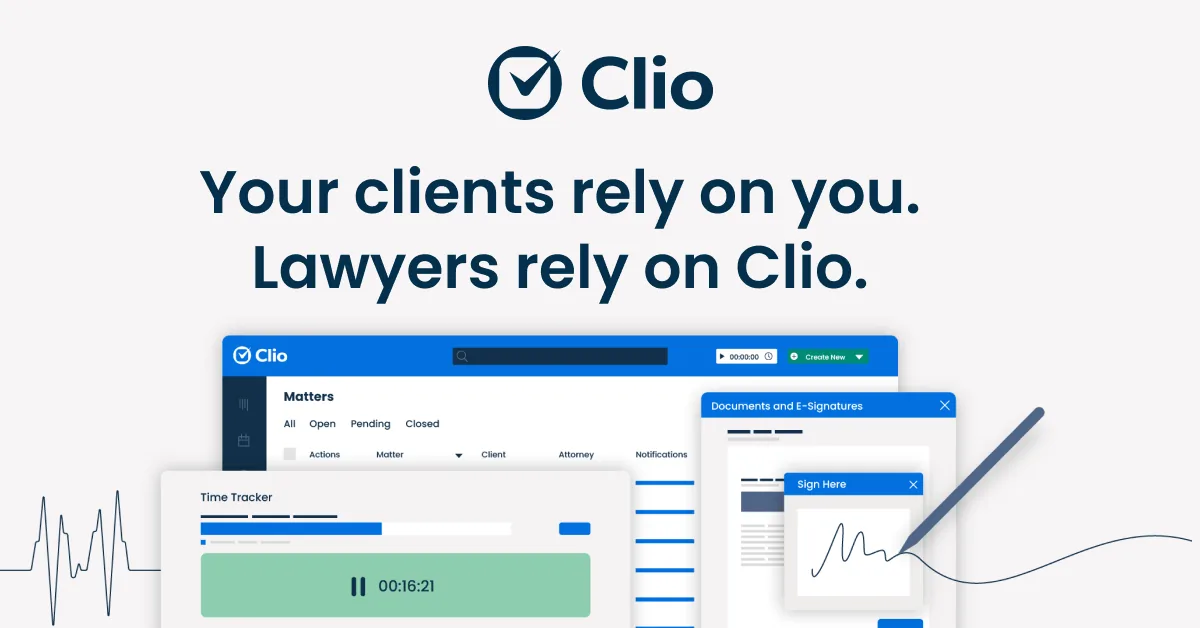
Clio is a cloud-based legal practice management platform that uses AI to connect tasks, surface insights, and drive the next right action, helping law firms increase revenue and improve client experience.