BugShot
Discover, fix, capture, and report bugs in one shot
What it does
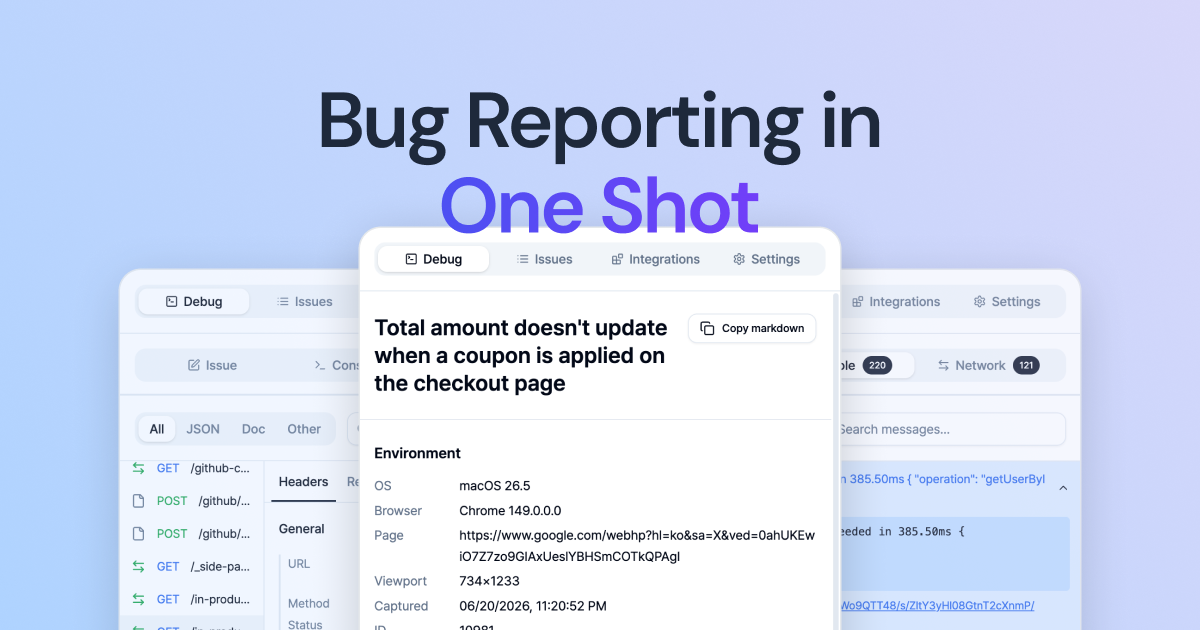
BugShot is a Chrome extension that streamlines the bug reporting workflow for developers and QA engineers. It allows users to capture bugs directly from the browser, inspect and edit CSS live, record screen activity (including the last 30 seconds via always-on replay), and automatically collect console logs, network requests, and environment context. An AI drafts structured bug reports with steps to reproduce, expected vs. actual behavior, and relevant attachments. These reports can be submitted with one click to project management tools like Jira, GitHub, Linear, Notion, GitLab, Asana, ClickUp, or Slack. BugShot is free and requires no account — just install from the Chrome Web Store and start reporting.
Who it is for
BugShot is designed for developers, QA engineers, product designers, and anyone involved in software testing and bug tracking. It aims to reduce the friction between discovering a bug and filing a well-documented report. The tool is particularly useful for teams that already use issue trackers and want to eliminate back-and-forth communication about reproduction steps and environment details. Based on user reviews on the Chrome Web Store, it appeals to frontend engineers who want to avoid juggling DevTools and separate Jira tabs, as well as backend engineers who appreciate automatic network and console logs attached to tickets.
Why it matters
Traditional bug reporting often involves multiple steps: taking screenshots, manually copying console errors, writing reproduction steps, and then filing a report. This process is error-prone and time-consuming. BugShot consolidates all these steps into one action, capturing rich context automatically. The AI drafting feature further reduces the effort by generating structured reports. For teams, this means fewer unclear bug reports, faster debugging, and less context switching. The tool also supports live CSS editing, allowing developers to test fixes before filing the report. By integrating with popular issue trackers and being free, BugShot lowers the barrier to adopting a more efficient bug reporting workflow.
Launch signal
BugShot launched on Product Hunt on an unspecified date and has 114 followers as of the source evidence. The Product Hunt listing highlights the key features: capturing console/network logs, AI drafting, and one-click filing to trackers. The website shows a polished product with detailed documentation and user testimonials. The Chrome Web Store listing is active with reviews from QA engineers, product designers, and developers. The tool is in active development with a clear feature set.
Brand and naming
The name "BugShot" is a portmanteau of "bug" (software defect) and "shot" (as in a screenshot or a single attempt), reflecting the tagline "in one shot." The domain bug-shot.com is exact match and easy to remember. The logo features a stylized bug/shot symbol. Branding is clear and functional, emphasizing speed and completeness. The product positions itself as a one-stop solution for bug reporting, directly addressing the pain point of fragmented workflows.
Founder
Sinhyeok Kang
Related