Portero
Know exactly what's running on every port of your Mac
What it does
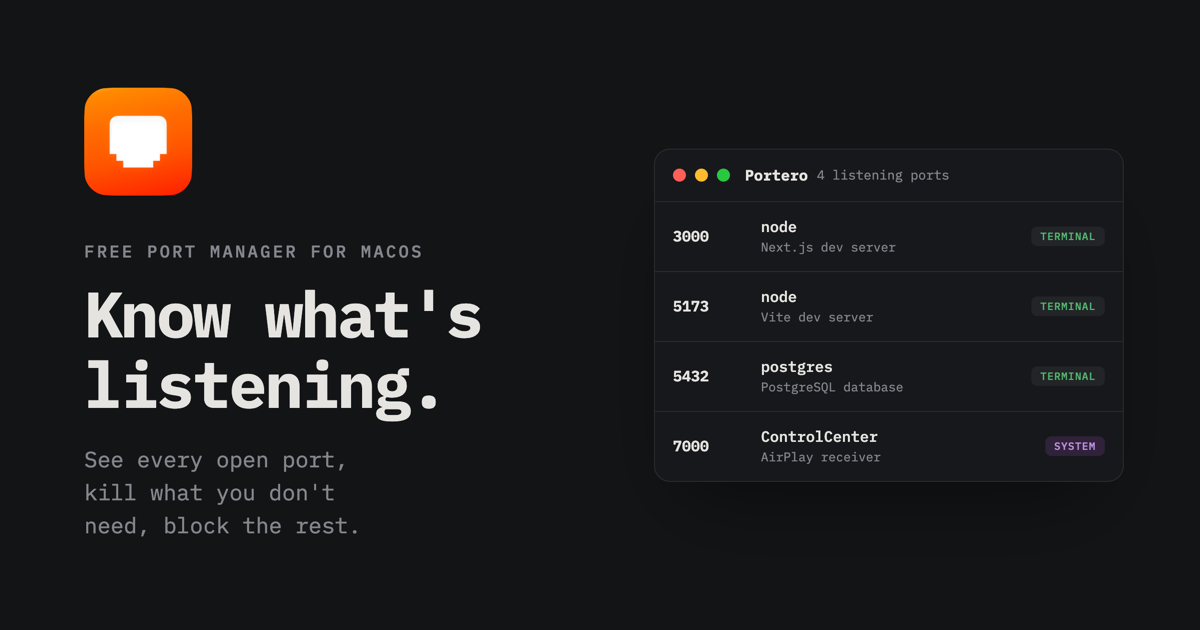
Portero is a free, open-source macOS app that gives you a clear, real-time view of every open TCP and UDP port on your machine and the process behind it. It surfaces the process name, PID, address, user, and start time, all auto-refreshed. Beyond visibility, it provides one-click graceful stop or force kill of processes, with clear confirmation prompts. It can block inbound or outbound traffic on any port using the built-in macOS firewall via pfctl, without touching system files. Conflict detection flags duplicate port usage proactively—the classic 'address already in use' error. When a port responds to HTTP, a globe icon offers one-click browser launch. Favorites can be starred to prevent accidental killing.
Built with Tauri and a Rust backend, Portero talks to the same terminal tools (lsof, ps, pfctl) you would use, but presents the info in a clean, native-looking interface. It requires admin privileges only for firewall changes, and uses the standard macOS password prompt. Available in English and Portuguese.
Who it is for
Portero is designed for developers, system administrators, and power users who run local servers, databases, API instances, or any background services on macOS. It's especially valuable for anyone who frequently encounters 'port already in use' errors, or who wants to quickly understand what's listening on their machine without digging into terminal commands.
Why it matters
Port conflicts waste time and break workflows. Portero replaces guesswork and manual terminal spelunking with a single, clear dashboard. It's free and open source, meaning full transparency and no vendor lock-in. By leveraging native macOS components (lsof, pfctl) rather than installing additional drivers, it stays lightweight and respects system integrity. The ability to block ports without modifying system files is a safety win. For teams sharing projects, Portero can reduce debugging friction.
Launch signal
Portero launched on Product Hunt on [date not specified in evidence; snippet indicates 'Launching today']. The Product Hunt page shows 140 followers and a brief description positioning it as a macOS utility for port management. The developer is C3B (ctresb on GitHub). The app is available for download from GitHub releases (unsigned build for now, with standard macOS right-click open workaround).
Brand and naming
Portero is a portmanteau of 'port' and the Spanish/Italian word for 'doorkeeper' (portero). The name is fitting—the app monitors and controls access through network ports. The tagline 'Know what's listening' is clear and evocative. The brand positions the tool as a friendly, essential utility rather than an intimidating system tool, which aligns with its focus on usability and clarity.
Founder
C3B
Related