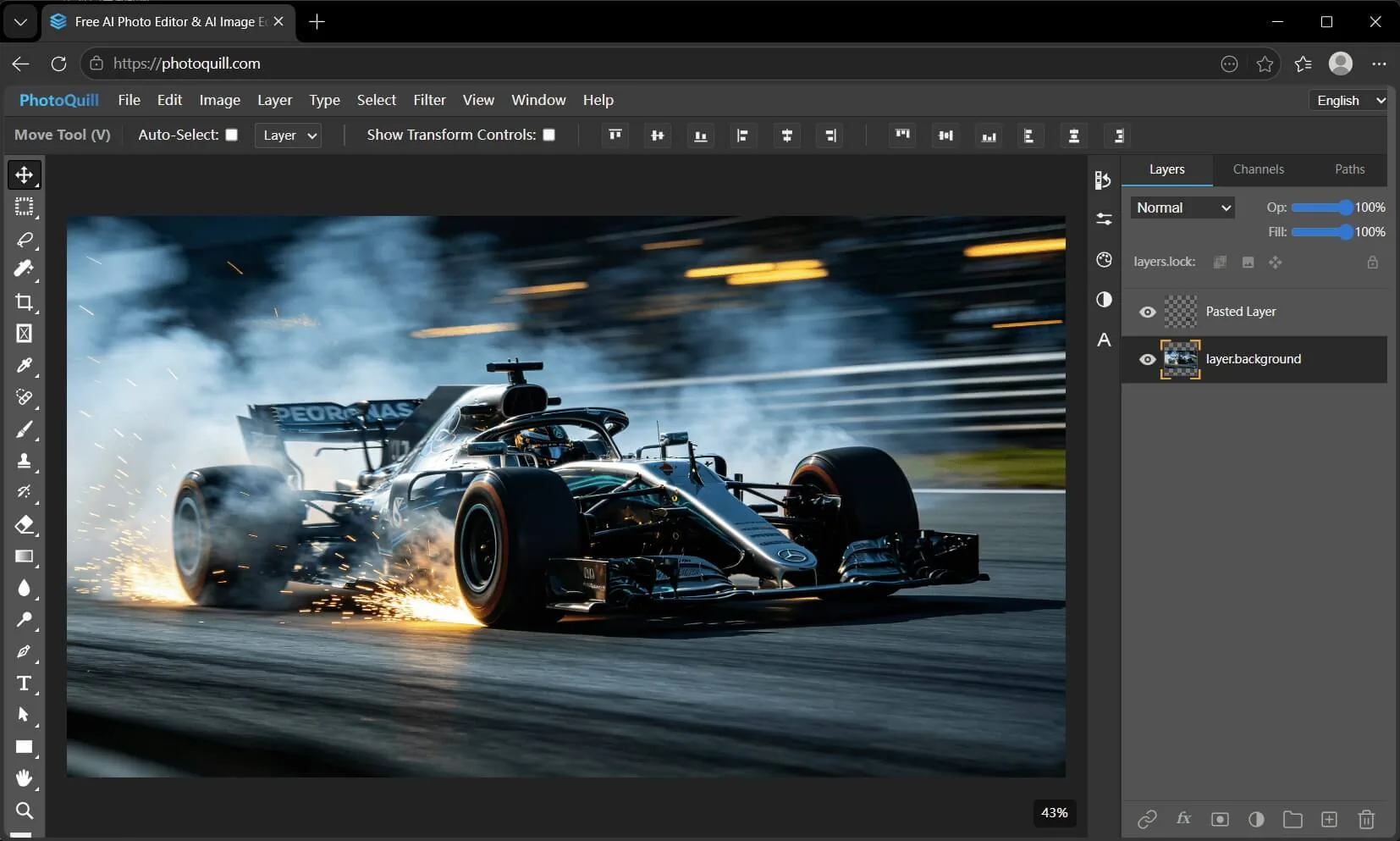
PhotoQuill: From Snap to Sonnet – AI That Turns Photos into Poetry While Editing Like a Pro
PhotoQuill: The Browser-Based Photoshop Alternative That Runs Entirely on Your GPU
The photo editing software market has long been dominated by two poles: expensive professional suites like Adobe Photoshop, and lightweight mobile apps that strip away most of the power. Between them lies a vast, underserved middle ground—users who need real editing capabilities but refuse to pay subscription fees or upload their private images to cloud servers. PhotoQuill, a startup building a WebGPU-accelerated photo editor that runs entirely in the browser, is making a bold play for exactly that territory.
What makes PhotoQuill immediately interesting is not just its feature set, but its architectural philosophy. While Canva, Pixlr, and Fotor have all built browser-based editors, they typically rely on server-side processing or CPU-bound JavaScript rendering. PhotoQuill has bet on WebGPU—the emerging web graphics standard that gives browsers direct access to a device's graphics card. This isn't a minor technical detail; it's the foundation that enables the company to claim something its competitors largely cannot: truly private, local processing with near-native performance.
Product Curation & Core Value
PhotoQuill positions itself as a "free Photoshop alternative," but that framing undersells what the product actually delivers. The core editor supports layered editing with full blending modes (Multiply, Screen, Overlay, and more), mask-based compositing, text layers with custom fonts, and a suite of adjustment tools including Curves, Levels, and Hue/Saturation. It can open and edit native PSD files, preserving layer masks, vector text, grouping, and blending modes. For users who just need to convert images between formats, the site also offers dedicated tools for HEIC-to-JPG, WebP-to-PNG, PSD-to-PNG, AVIF-to-PNG, and PNG-to-ICO conversion.
The product's value proposition rests on three pillars. First, it is genuinely free for core editing—no watermarks, no time limits, no forced signups. Second, it processes everything locally: images never leave the user's device, which is a significant privacy advantage over cloud-dependent editors. Third, it leverages WebGPU hardware acceleration to deliver real-time brush strokes, instant filter previews, and smooth 60fps canvas performance even on large images.
Where PhotoQuill introduces a monetization layer is in its AI image generation features. The editor integrates models like FLUX, Z-Image, Nano Banana, and Seedream for generative tasks, but these run on a credit system. Users receive free daily credits, with paid top-ups available for heavier usage. This is a sensible approach: the core utility remains free and unrestricted, while the compute-intensive AI features—which actually incur server costs—are metered.
The product also includes practical touches that reveal thoughtful design. The background removal tool uses AI but runs locally. The typography engine supports loading custom fonts and curving text. The filter suite includes blurs, sharpening, noise reduction, and stylization effects, all processed in parallel via WebGPU. For game developers and 3D texture artists, the editor handles 4K and 8K texture sheets without lag, which is a niche but valuable use case.
Technical Implementation & Strategy
PhotoQuill's technical architecture is its most distinctive competitive advantage. Most web-based photo editors fall into one of two categories: they either upload images to remote servers for processing (introducing latency and privacy concerns) or they use CPU-based JavaScript rendering that chokes on large canvases. PhotoQuill has chosen a third path: WebGPU acceleration combined with WebAssembly for format parsing.
WebGPU is the successor to WebGL, offering lower-level access to GPU hardware and significantly better performance for compute workloads. By building on WebGPU, PhotoQuill can run convolutional filters, blending operations, and color transformations directly on the user's graphics card. This is not just faster—it enables effects that would be impractical with CPU-bound rendering, such as real-time brush previews on 8K canvases or instant application of complex blur kernels.
The PSD parsing capability is another technical achievement. Adobe's PSD format is notoriously complex, with nested layer structures, adjustment layers, vector masks, and embedded color profiles. PhotoQuill's parser, likely built on WebAssembly-compiled C or Rust libraries, must handle this complexity entirely client-side. The fact that it preserves layer masks, text vectors, grouping, and blending modes suggests a serious engineering effort behind the scenes.
The company's distribution strategy is equally interesting. Rather than building a native desktop or mobile app, PhotoQuill is purely web-native. This eliminates installation friction, enables instant updates, and crucially, allows the product to be discovered through search. The site's SEO strategy is aggressive: it targets queries like "free photo editor online," "Photoshop alternative," "open PSD online," and format-specific searches like "HEIC to JPG." Each of these landing pages is optimized with clear calls-to-action and product demonstrations.
There is a trade-off here, however. WebGPU, while supported in Chrome, Edge, and Firefox, is not yet universally available. Safari's implementation is still experimental. This means a non-trivial portion of potential users—particularly on iOS and older macOS versions—will encounter the "WebGPU is not supported" warning that currently appears on the site. The startup is betting that WebGPU adoption will continue to grow, but in the short term, this creates a compatibility ceiling that competitors like Pixlr (which uses CPU rendering and works everywhere) do not face.
Competitor Landscape & Industry Impact
The browser-based photo editing market is crowded but segmented. At the low end, tools like Pixlr and Fotor offer basic editing with cloud processing, often with watermarks or subscription gates for advanced features. In the middle, Canva dominates template-based design but is not a serious Photoshop competitor for layer-heavy work. At the high end, Photopea has carved out a loyal following by offering a remarkably complete Photoshop clone in the browser, but it relies on CPU rendering and can struggle with performance on large files.
PhotoQuill's positioning is closest to Photopea, but with a critical differentiator: WebGPU acceleration. Where Photopea can feel sluggish on complex PSD files, PhotoQuill promises smooth, GPU-accelerated performance. However, Photopea has a significant head start in feature completeness—it supports PSD, XCF, Sketch, and dozens of other formats, and its interface is a near-exact replica of Photoshop's. PhotoQuill, while impressive, is still catching up in terms of format support and tool depth.
Another competitor worth noting is Adobe's own Photoshop on the web, which Adobe launched in beta in 2023. While Adobe's offering has the advantage of seamless integration with Creative Cloud, it requires a subscription and still relies on server-side processing for many operations. PhotoQuill's local-only approach is a genuine differentiator for privacy-conscious users, particularly those working with sensitive images (medical, legal, or corporate assets).
The industry impact of PhotoQuill's approach could be significant if it proves that WebGPU-based local processing is viable for professional-grade editing. Historically, the argument for cloud-based editors has been that browsers lack the raw compute power for complex image processing. PhotoQuill challenges that assumption by showing that with the right API, a browser can harness the same GPU resources as a native application. If successful, this could accelerate the broader shift toward web-native creative tools, reducing the dependence on heavy desktop software.
There are trade-offs, of course. Local processing means no cloud-based collaboration, no automatic backups, and no ability to access edits from multiple devices. For solo users working on a single machine, this is fine. For teams, it's a limitation. Additionally, WebGPU's memory constraints mean that extremely large files (50+ layers at 16K resolution) may still push the browser to its limits. PhotoQuill's claim of handling "4K or 8K texture sheets with zero lag" is impressive, but real-world performance will vary depending on the user's GPU.
Brand Naming & Domain Identity Analysis
The name "PhotoQuill" is a compound that merges "photo" with "quill," the feather-tipped writing instrument historically used for calligraphy and illustration. The metaphor is clear: the tool is a writing instrument for visual creation, marrying the precision of digital editing with the artistry of traditional craftsmanship. It is a name that evokes creativity, elegance, and deliberate composition rather than brute-force automation.
From a branding perspective, the name works well for several reasons. It is short (two syllables), easy to spell, and phonetically unambiguous. It avoids the "-ify," "-ly," and "-io" suffixes that have become clichés in the startup world, opting instead for a concrete noun that carries visual and historical weight. The name also differentiates the product from competitors: "Pixlr" sounds technical and cold, "Photopea" is abstract, "Canva" is generic. "PhotoQuill" feels warm and intentional.
The domain, <a href="https://photoquill.com">photoquill.com</a>, is a strong choice for several reasons. The .com TLD remains the gold standard for global brands, conferring trust and memorability that alternative TLDs often lack. The domain is an exact match for the brand name, with no hyphens, numbers, or creative spellings. This alignment between brand name and domain name is critical for word-of-mouth marketing and direct traffic.
Analyzing the domain through the lens of NewName.ai's three pillars:
AI Domain Naming: The name is human-readable and brandable, not a keyword-stuffed slug. It does not rely on trendy AI suffixes like "ai" or "io," which can date a brand quickly. Instead, it uses a metaphor that implies intelligence and creativity without being explicit about the underlying technology. This is a mature approach that will age well.
TLD Intelligence: The choice of .com over alternatives like photoquill.ai or photoquill.app is strategically sound. While .ai domains have surged in popularity (as covered in The .ai TLD Boom: Why Everyone Wants an AI Domain), they carry risks: registry instability, price volatility, and potential perception as a tech fad. PhotoQuill's .com domain is an enduring asset that will retain value regardless of TLD market trends. For a tool that aims to be a permanent creative utility, not a speculative startup, .com is the right call.
Startup Naming Playbook: The name follows the "compound metaphor" pattern—combining a domain-specific word (photo) with a resonant image (quill). This is a proven formula that creates a unique, trademarkable brand while remaining descriptive enough to convey the product's purpose. The name also passes the "radio test": it is easy to say, hear, and understand in conversation.
One potential weakness is that "PhotoQuill" could be confused with "Quill," the AI writing assistant from Ben & Jerry's co-founder, or with "Quill.org," the educational nonprofit. However, the "Photo-" prefix provides sufficient differentiation, and the domains are distinct.
Growth & Future Outlook
PhotoQuill's growth trajectory will depend on several factors. The most immediate is WebGPU adoption. As of early 2026, WebGPU is supported in Chrome 113+, Edge 113+, and Firefox 118+, covering roughly 70-80% of desktop browsers. Mobile support is weaker, with Safari's implementation still lagging. If Apple ships full WebGPU support in the next major Safari release, PhotoQuill's addressable market will expand significantly.
The startup's SEO-driven acquisition strategy is a smart play for the long term. By creating dedicated landing pages for format conversion tools (HEIC-to-JPG, WebP-to-JPG, etc.), PhotoQuill captures high-intent search traffic from users who have a specific problem to solve. These users then discover the full editor, creating an upsell funnel. The conversion tools are also low-cost to maintain, as they use the same local-processing architecture.
Monetization through AI generation credits is a reasonable model, but the company should be careful not to erode the core value proposition. If free users feel that the credit system is too restrictive, they may bounce to truly free competitors. The daily free credits appear to be a good-faith attempt to balance accessibility with sustainability.
Looking ahead, PhotoQuill could expand in several directions. Adding cloud sync for saved projects (with end-to-end encryption to maintain privacy) would address the multi-device workflow gap. Building a plugin system or API for developers could create an ecosystem. And expanding format support to include Affinity, Corel, and raw camera files would broaden the addressable market.
The biggest competitive threat is not from Adobe or Canva, but from Photopea. If Photopea adds WebGPU acceleration, it would neutralize PhotoQuill's primary technical differentiator while retaining its feature depth and existing user base. PhotoQuill needs to move quickly to build unique features that are hard to replicate, such as advanced AI-powered editing tools that run locally.
Final Expert Take: PhotoQuill is a technically impressive product that solves a real problem: the need for professional-grade photo editing that is free, private, and fast. Its bet on WebGPU is both its greatest strength and its biggest risk—if the standard becomes universal, the startup has a performance moat; if it stagnates, the product will be limited to a subset of users. The domain choice is excellent, the branding is thoughtful, and the SEO strategy is sound. With disciplined execution and continued investment in local AI processing, PhotoQuill has the potential to become the default photo editor for privacy-conscious professionals and students alike. The key will be expanding the feature set before WebGPU adoption reaches critical mass and competitors catch up.
Related
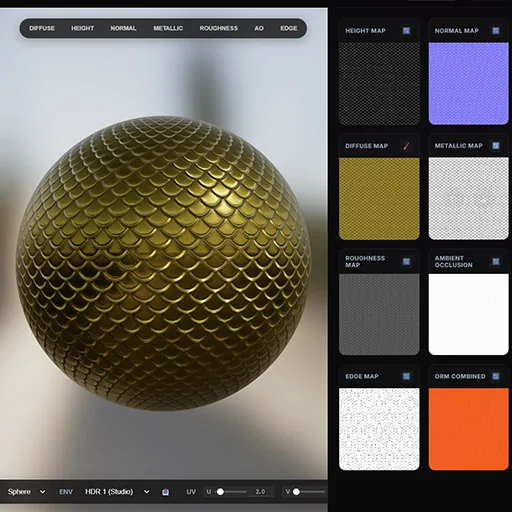
NormalMap AI: Instant PBR Textures in Your Browser – A Complete Review
NormalMap AI is a browser-based tool that leverages AI to generate PBR textures from 2D images, offering privacy and speed through local GPU processing. This review covers its features, use cases, and why it's a game-changer for 3D artists.

How EasyChef Is Redefining Meal Prep: AI-Powered Recipes to Reduce Food Waste
EasyChef uses AI to turn leftover ingredients into personalized recipes, helping home cooks save money and reduce food waste. The app offers smart shopping lists and global cuisine options.

How FetchSandbox Is Revolutionizing API Testing with a Memory Graph for AI Agents
FetchSandbox offers a sandbox environment with 60+ pre-configured APIs and a unique memory graph that remembers failure patterns, enabling deterministic bug reproduction for both human developers and AI coding assistants.